Product Bundle
By Komal Jangid on May 9, 2026
BeginnerProduct Bundle Documentation
Introduction
A Product Bundle is used to group multiple items together and manage them as a single package. Simply instead of handling many items separately, you create one bundle item that represents all of them. We can make a product bundle for subassemblies as well.
Important Concept:
- The Bundle Item (Parent Item) is NOT stocked
- The individual items inside the bundle are stocked
Example: You sell a “Sign Board Kit” →
- Screws, Sheet, Frame are stored separately
- But customer sees only “Sign Board Kit”
A. Basic Information
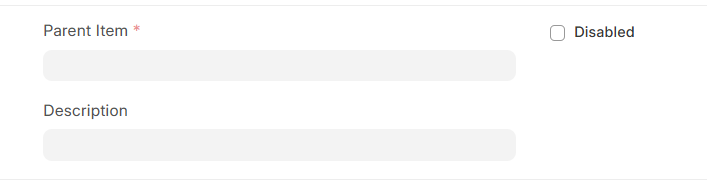
- Parent Item (Mandatory): This is the main item (bundle name) that represents the full package. This is what you will select in Sales Orders or Purchase Orders.
Example: “Signage Installation Kit” , “Computer Set (CPU + Monitor + Keyboard)”
- Description: A short explanation of what the bundle contains. Helps users understand what is inside the bundle.
Example: “Includes steel sheet, frame, and mounting accessories”
- Disabled: If enabled, the bundle becomes inactive. Checked When the bundle is no longer used.
Example: Old product kit discontinued → mark as disabled
B. Items Section (Bundle Components):
Items Table: This section defines which items are included in the bundle. Think of it as the contents of the package.
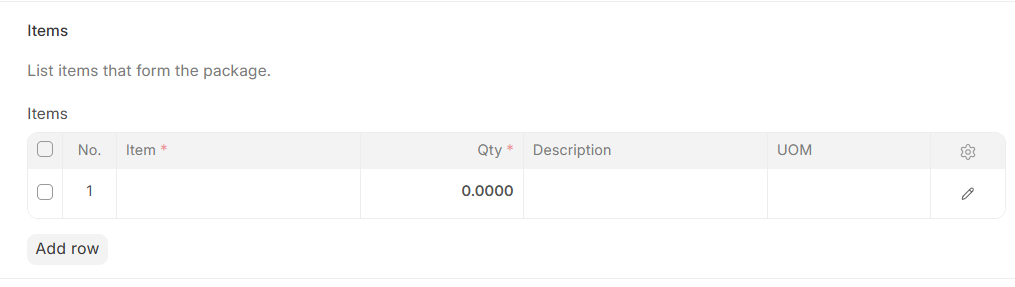
- No.: Serial number of the item (auto-generated).
- Item: The actual item included in the bundle.
Example: Steel Sheet, Screws, Frame
- Qty (Quantity): Number of units of that item in the bundle.
Example: Screws → 10, Sheet → 1
- Description: Extra details about the item (optional).
Example: “High-quality stainless steel screws”
- UOM (Unit of Measure): Unit of the item.
Example: Nos (Numbers), Kg, Meter
No comments yet. Login to start a new discussion Start a new discussion