Purchase Invoice
By Naveen Soni on May 13, 2026
BeginnerDocumentation
Introduction
The Purchase Invoice Form is used to record supplier bills for purchased goods or services in the ERP system.
It helps manage supplier payments, purchase accounting, tax calculations, and stock updates.
It acts as an important document for:
- Purchasing
- Accounts Payable
- Inventory Management
- GST & Taxation
The form captures important details such as:
- Supplier Details
- Invoice Details
- Items Purchased
- Taxes and Charges
- Payment Information
Fields in Purchase Invoice Form
Details Tab
A. Document Header Section
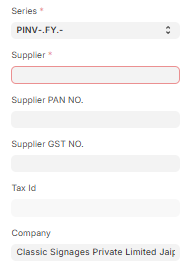
1 Series : Defines the automatic naming convention for the Purchase Invoice. Helps in document tracking.
2 Supplier (Mandatory): Defines the supplier from whom goods or services are purchased.
3 Supplier PAN NO : Displays supplier PAN number.
4 Supplier GST NO : Displays supplier GST number.
5 Tax Id : Defines supplier tax identification number.
6 Company (Mandatory): Identifies the legal entity within the ERP system.
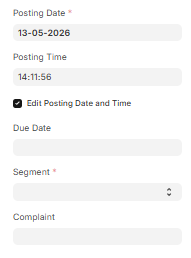
7 Posting Date : Indicates when the invoice is created in the system. By default it takes current date.
8 Posting Time: Defines the accounting time of the Purchase Invoice.
9 Edit Posting Date and Time: If enabled, allows manual editing of posting date and time.
10 Segment: Used for business segmentation or classification.
11 Complaint : Links Purchase Invoice with complaint or issue reference if required.
B. Invoice Settings Section
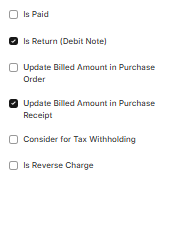
1 Is Paid(check-box) : If enabled, due date field is hidden and invoice is treated as paid.
2 Is Return Debit Note (checkbox) : When enabled, invoice is treated as return/debit note.
3 It activates:
- Update Billed Amount in Purchase Order
- Update Billed Amount in Purchase Receipt
4 Update Billed Amount in Purchase Order: Updates billed amount automatically in linked Purchase Order.
5 Update Billed Amount in Purchase Receipt: Updates billed amount automatically in linked Purchase Receipt.
6 Consider for Tax Withholding: Enables TDS deduction applicability.
7 Is Reverse Charge: Enables reverse GST charge mechanism.
8 Title : Defines title of the Purchase Invoice.

9 Supplier Invoice No: Defines supplier invoice number.
10 Supplier Invoice Date: Defines date mentioned on supplier invoice.

C. Accounting Dimensions Section
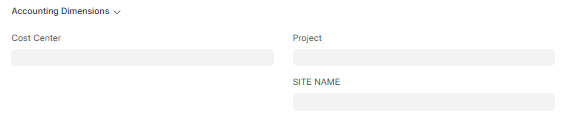
1 Cost Center : Defines cost center for accounting tracking.
2 Project: Links invoice with a specific project.
3 SITE NAME : Defines site related to the purchase transaction.
D. Currency and Price List Section

1 Currency: Defines transaction currency (Example: INR).
2 Use Transaction Date Exchange Rate: Uses exchange rate based on posting date.
3 Buying Price List : Defines price list used for item pricing. Example: Standard Buying
E. Items Section
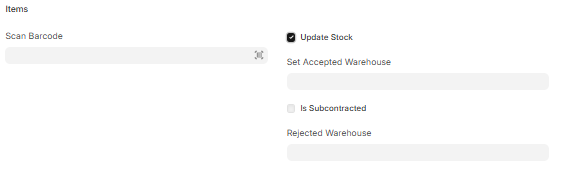
1 Scan Barcode: Allows quick item entry using barcode scanner.
2 Update Stock : Updates stock after submission.
3 Set Warehouse : Defines default warehouse for accepted items.
4 Is Subcontracted (check-box) : Enables subcontracting workflow.
5 Rejected Warehouse:Defines warehouse for rejected materials.
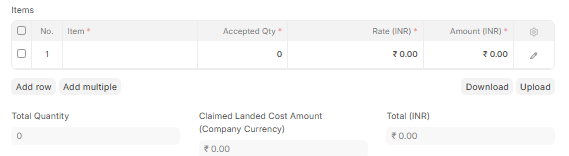
6 Items : Main table used to enter purchased item details. Each row includes Item Code, Qty, Rate, Amount.
7 Total Quantity: Displays total quantity of all items.
8 Claimed Landed Cost Amount(Company currency) : Displays additional landed cost amount.
9 Total (INR): Displays total item amount before taxes.
F. Taxes and Charges Section
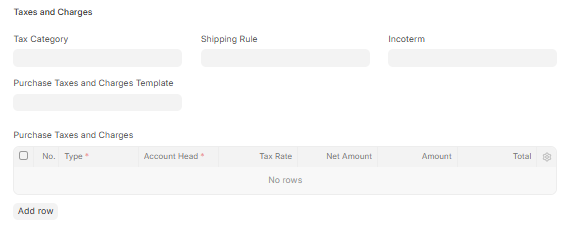
1 Tax Category : Defines GST/tax category.
2 Purchase Taxes and Charges Template : Defines predefined tax template.
3 Shipping Rule : Defines shipping rules.
4 Incoterm : Defines international delivery terms.
5 Purchase Taxes and Charges: Table used to define tax details. Each row includes Type, Account Head, Rate, Amount, Total.
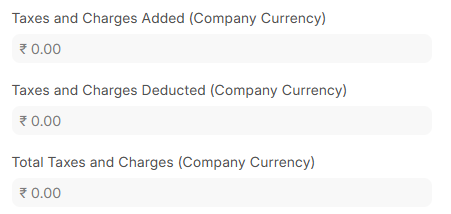
6 Taxes and Charges Added : Displays total added taxes (base currency).
7 Taxes and Charges Deducted :Displays deducted taxes (base currency).
8 Total Taxes and Charges :Displays total tax amount (base currency).
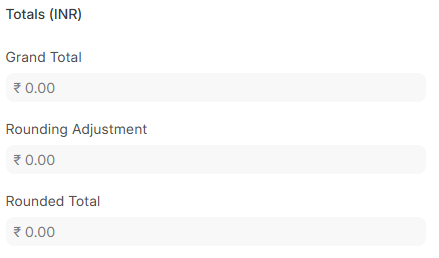
12 Grand Total : Displays final invoice amount including taxes.
13 Rounding Adjustment :Displays rounding difference.
14 Use Company Default Round Off Cost Center : Uses default cost center.
15 Rounded Total : Displays final rounded invoice amount.
16 In Words : Displays amount in words.
17 Total Advance : Displays advance paid amount.
18 Outstanding Amount : Displays remaining unpaid amount.
G. Additional Discount Section

1 Apply Additional Discount On: Defines discount calculation base (Net or Grand Total).
2 Additional Discount Percentage : Defines discount percentage.
3 Additional Discount Amount : Defines discount value.
H. Tax Breakup Section

1 Taxes and Charges Calculation : Displays detailed tax calculation.
I. GST Breakup Section

1 GST Breakup Table : Displays GST-wise breakup details.
J. Pricing Rules Section

1 Pricing Rules : Displays pricing rules applied on items.
2 Pricing Rule Detail: Table showing applied pricing rules. Each row includes Pricing Rule and Item Code.
K. Raw Materials Supplied Section
1 Supplied Items : Used in subcontracting purchases to track raw materials. Each row includes Item Code, Raw Material Item Code, Available Qty, Qty to Be Consumed, Current Stock.
payment tab
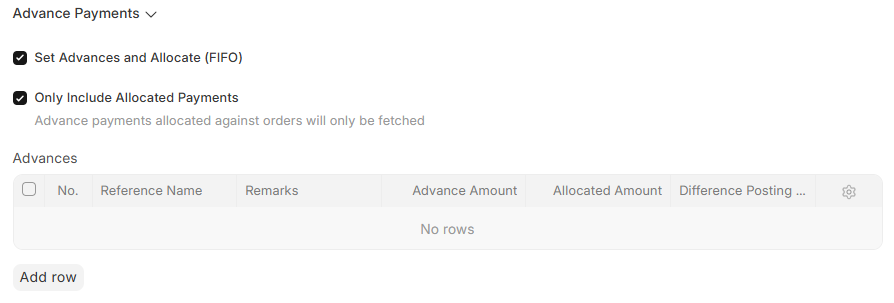
Advance Payments Section
Set Advances and Allocate (FIFO) : Automatically fetches and allocates advance payments using FIFO method.
Only Include Allocated Payments : If enabled, only allocated advance payments against orders are fetched.
Advances : Table used to manage advance payment references.
Each row includes:
- Reference Name
- Remarks
- Advance Amount
- Allocated Amount
- Difference Posting Date
Address and Contact Tab
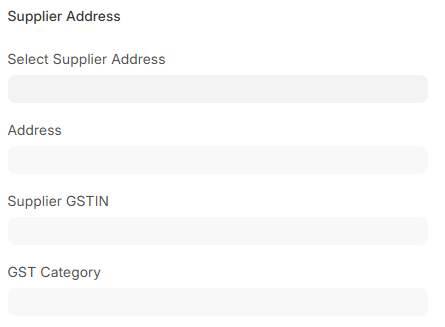
1 Supplier Address : Select supplier address.
2 Address Display : Displays full address.
3 Supplier GSTIN : Displays supplier GST number.
4 GST Category : Defines GST category.
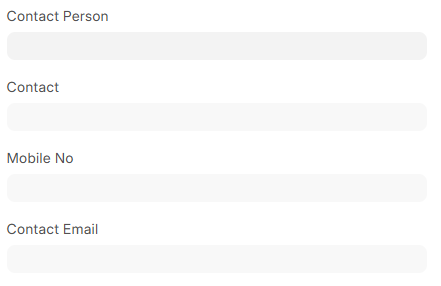
5 Contact Person : Select contact person.
6 Contact Display : Displays contact details.
7 Mobile No: Displays mobile number.
8 Contact Email : Displays email.
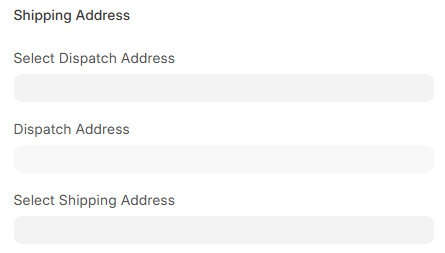
9 Dispatch Address : Select dispatch address.
10 Dispatch Address Display : Displays dispatch details.
11 Shipping Address : Select shipping address.
12 Shipping Address Display : Displays shipping details.
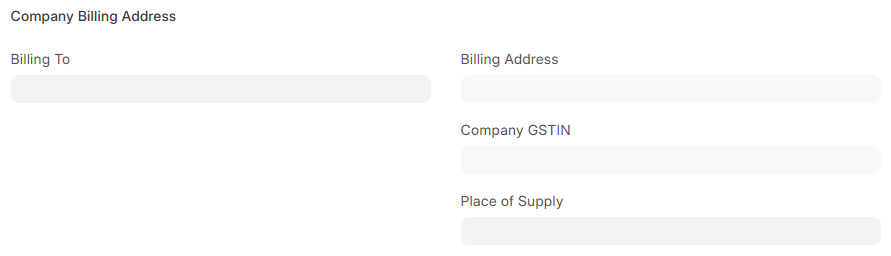
13 Billing Address : Select billing address.
14 Billing Address Display : Displays billing details.
15 Company GSTIN : Displays company GST number.
16 Place of Supply : Defines GST supply location.
3 Terms and Conditions Tab
Payment Terms Section
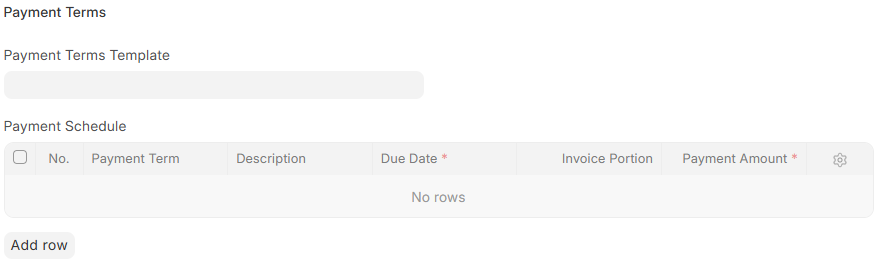
Payment Terms Template : Defines predefined payment terms template for the Purchase Invoice.
Payment Schedule : Table used to define payment due schedule.
Each row includes:
- Payment Term
- Description
- Due Date
- Invoice Portion
- Payment Amount
Terms and Conditions Section
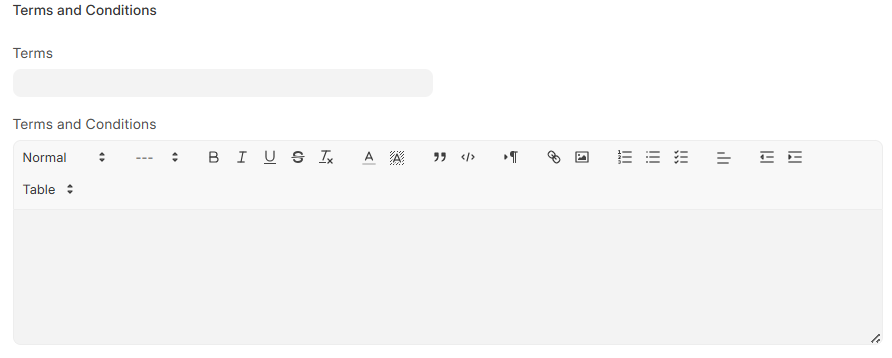
Terms : Defines title or reference name of terms and conditions.
Terms and Conditions: Detailed text field used to define invoice terms, rules, and conditions.
More Information Tab
1 Status Information
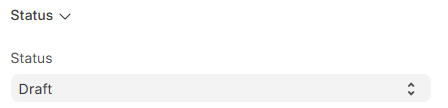
2 Status: Shows document status (Draft, Submitted, etc.).
Accounting Details
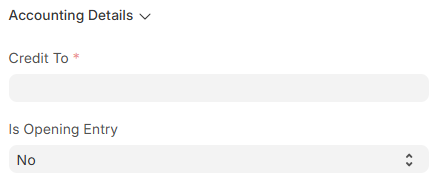
1 Credit To :Defines creditor account used for accounting entries.
2 Is Opening Entry : Defines whether the Purchase Invoice is an opening accounting entry or a regular transaction.
Subscription
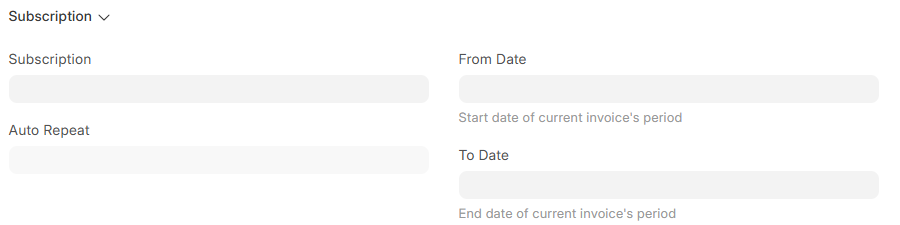
1 Subscription: Links the Purchase Invoice with a subscription record.
2 Auto Repeat : Enables automatic recurring invoice creation.
3 From Date : Defines start date of the current invoice period.
4 To Date : Defines end date of the current invoice period.
Print Settings
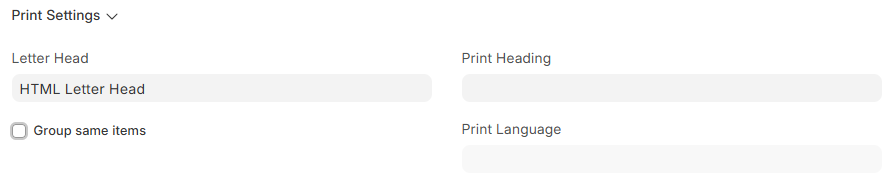
1 Letter Head : Defines print header used in the Purchase Invoice.
2 Group Same Items (check-box): If enabled, groups identical items together while printing the invoice.
3 Print Heading : Defines title shown on printed document.
4 Print Language : Defines language used for printing the document.
Transporter Info
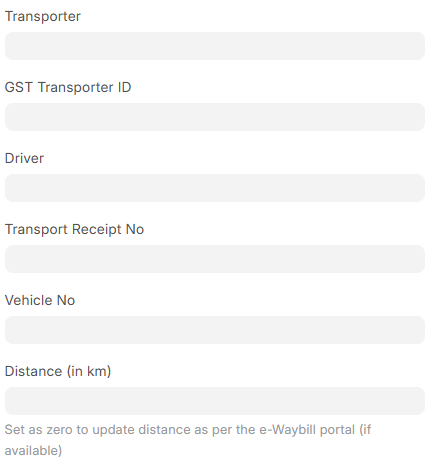
1 Transporter : Defines transport company or transporter for goods movement.
2 GST Transporter ID : Defines GST identification number of transporter.
3 Driver: Used to select driver reference.
4 Transport Receipt No : Defines transport or LR receipt number.
5 Vehicle No : Defines vehicle registration number used for transportation.
6 Distance : Defines transportation distance in kilometers. If set as zero, distance is updated automatically from e-Waybill portal (if available).
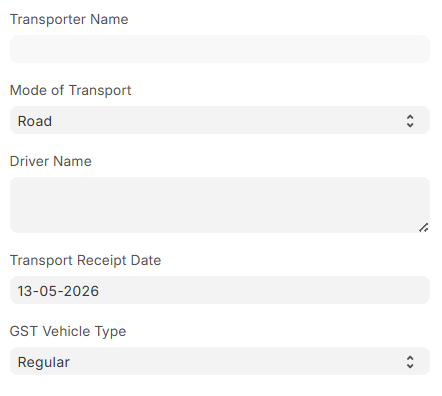
7 Transporter Name : Defines transporter name.
8 Mode of Transport :Defines transportation mode such as Road, Air, Rail, etc.
9 Driver Name : Displays or defines driver name.
10Transport Receipt Date : Defines transport receipt date.
11 GST Vehicle Type : Defines GST vehicle classification type.
GST Details
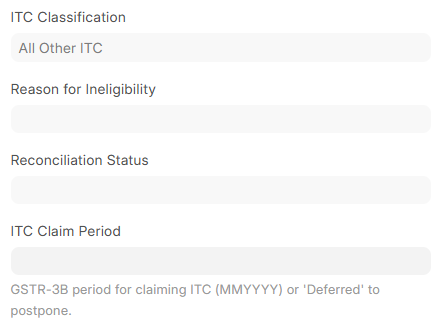
1 ITC Classification : Input tax credit category.
2 Reason for Ineligibility : ITC rejection reason.
3 Reconciliation Status : GST reconciliation status.
4 ITC Claim Period : GST claim period.
Hold Invoice
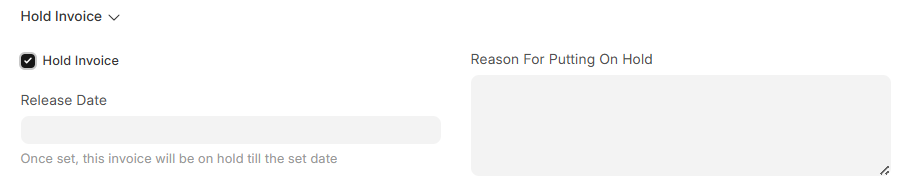
1 Hold Invoice : Puts invoice on hold.
2 Release Date : Hold release date.
3 Reason For Putting On Hold : Reason for hold.
Additional Info
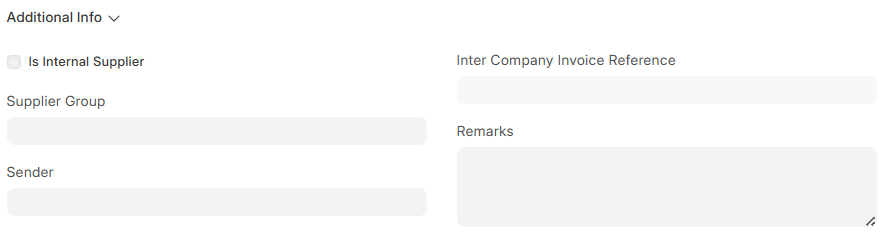
1 Is Internal Supplier : Marks internal supplier.
2 Supplier Group : Defines supplier group.
3Sender : Internal sender reference.
4 Inter Company Invoice Reference : Links inter-company invoice.
5 Remarks : Additional notes.
No comments yet. Login to start a new discussion Start a new discussion