Stock Entry
By Komal Jangid on May 11, 2026
BeginnerStock Entry Documentation
Introduction
The Stock Entry Form is used to record and manage stock movement within an organization. It helps control the flow of materials between warehouses, production units, and projects.
It ensures that stock is:
• Accurately tracked
• Properly valued
• Available when required
It acts as a key transaction for:
• Inventory movement
• Material consumption
• Production processes
• Stock adjustments
Fields in Stock Entry Form
Details Tab
A. Document Header Section
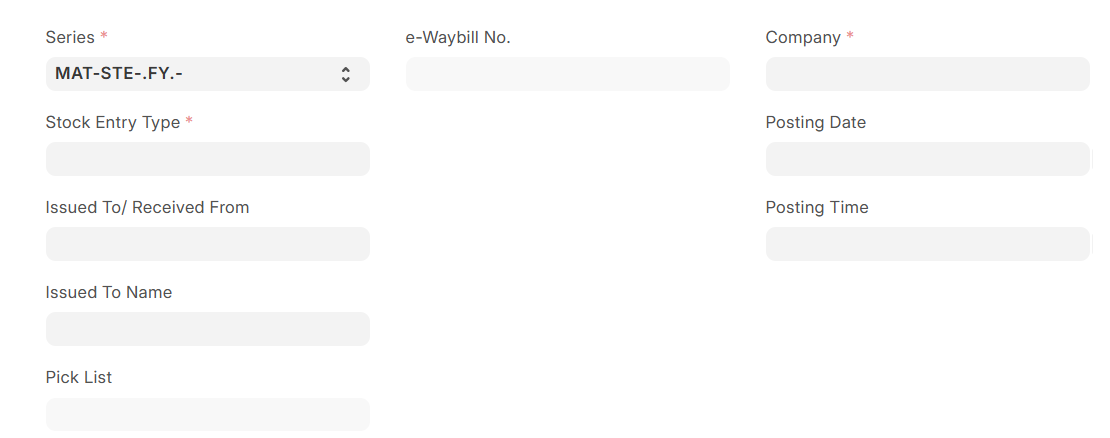
1. Series: Defines the automatic naming format for Stock Entry. Used for document identification and tracking.
2. Stock Entry Type (Mandatory): This is the most important field. It defines the purpose of stock movement and controls system behaviour.
3. Posting Date: Indicates when the stock transaction is recorded. Affects stock valuation and accounting.
4. Posting Time: Time of stock entry creation.
5. Company (Mandatory): Defines the company for which stock entry is created.
6. Pick List: Links stock entry with picking process.
B. Warehouse Information
7. Issued To / Received From: Defines the party or warehouse involved in stock movement.
8. Issued To Name: Auto-fetched name of receiving party.
C. Project & Site Information
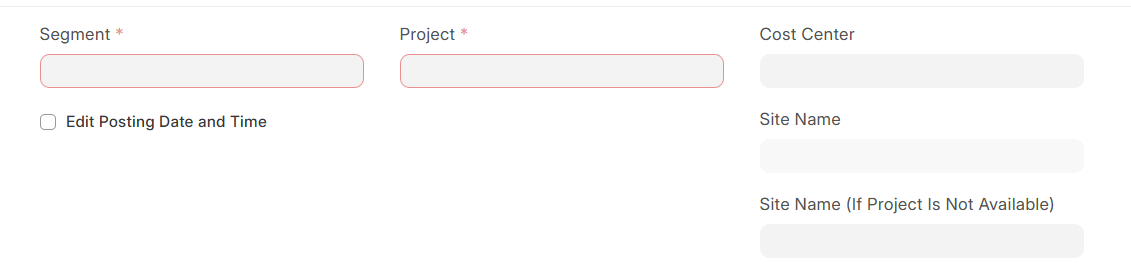
9. Segment (Mandatory): Used for business classification.
10. Project (Mandatory): Links stock movement to a specific project.
11. Site Name: Represents location where stock is used.
12. Site Name (If Project Is Not Available): Used when no project is selected.
13. Edit Posting Date and Time: Allows manual modification of date and time (if enabled).
D. Reference Fields
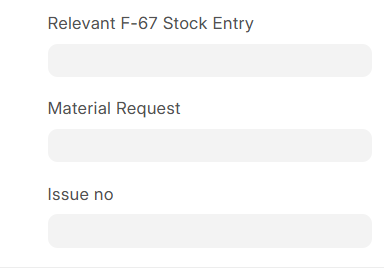
14. Material Request: Links stock entry to a material request.
15. Issue Number: Used for complaint/service tracking.
16. Relevant F-67 Stock Entry: Reference to extra material entry.
E. BOM Section:
Note: This section is shown only for some stock entry types.
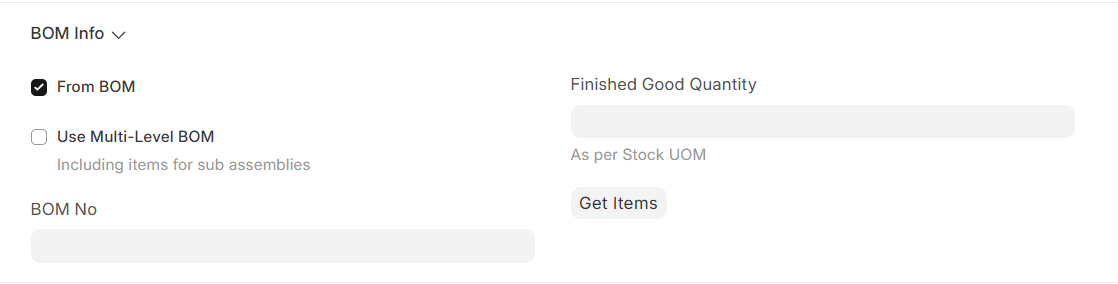
17. From BOM: When enabled, items are fetched from Bill of Materials (BOM). When selected it triggers multiple fields:
• Use Multi-Level BOM – Includes sub-assembly items
• BOM No – BOM reference number
• Finished Good Quantity – Quantity to produce
• Get Items – Fetch items into item table
F. Inventory Section
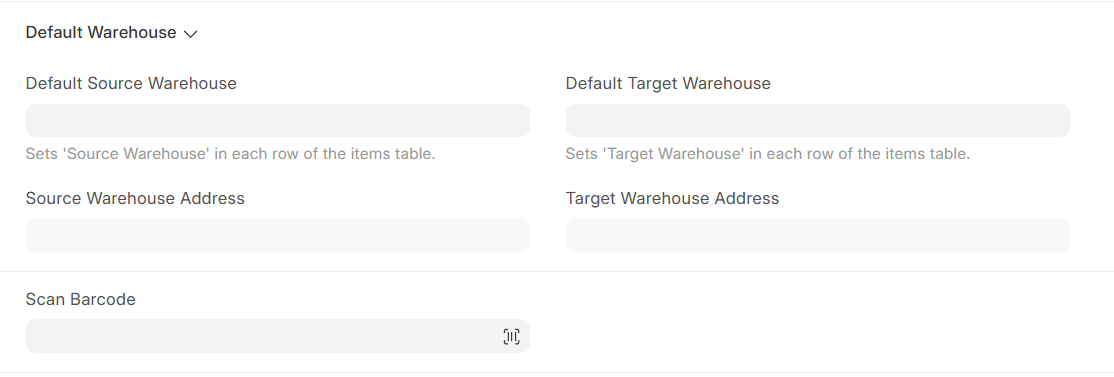
18. Default Source Warehouse: Warehouse from where stock is taken.
19. Default Target Warehouse: Warehouse where stock is transferred.
20. Source Warehouse Address: Auto-fetched address.
21. Target Warehouse Address: Auto-fetched address.
22. Scan Barcode: Used to add items quickly using barcode scanning.
G. Items Table (Core Section): Each row represents one item:
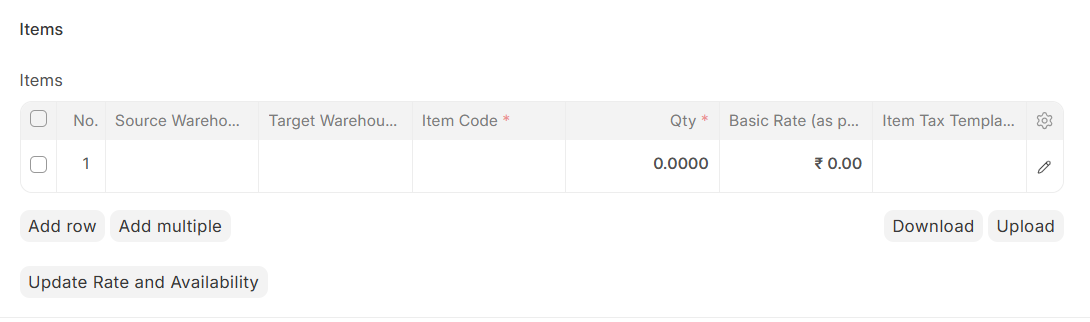
• Item Code → Select from Item Master
• Source Warehouse → From where item is issued
• Target Warehouse → Where item is received
• Qty → Quantity of item
• UOM → Unit of measure
• Basic Rate → Cost per unit
• Amount → Total value
• Item Tax Template → Applicable tax
This is the most important section as it directly affects inventory.
H. Summary Fields
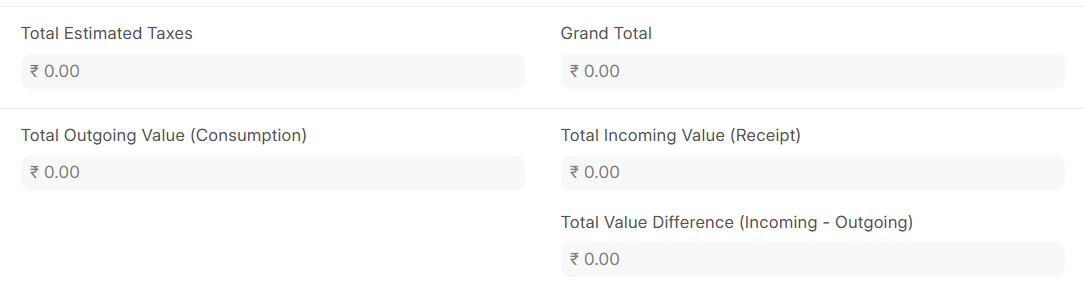
• Total Estimated Taxes
• Grand Total
• Total Outgoing Value
• Total Incoming Value
• Total Value Difference
Additional Costs Tab:
Note: Not available in case of stock entry type- (Consumable -Material Issue To Site, Extra Good Issued F-67, Material Issue, Material Issue To Site, Sub Assemblies -Material Issue To Site.)
This section is used to record extra expenses incurred during the stock movement process. These costs are added to the total valuation of the stock and help in accurate costing.
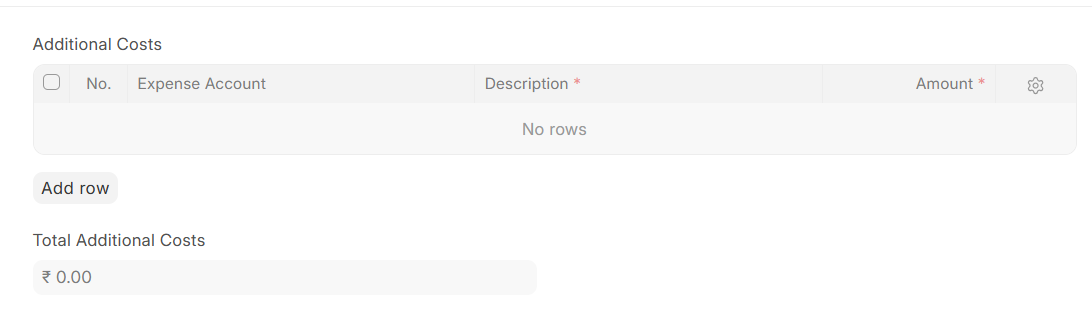
A. Additional Costs Table: Each row represents one additional expense:
- Expense Account: Specifies the account under which the additional cost will be recorded.
- Example: Transportation Charges, Loading/Unloading Charges, Packaging Cost
- Description (Mandatory): Provides details about the nature of the cost. Helps in better understanding and tracking of expenses.
- Amount (Mandatory): Defines the cost value for that particular expense. This amount gets added to the total stock valuation.
B. Summary Field
Total Additional Costs: Displays the total of all expense amounts entered in the table.
Other Info Tab
A. Printing Settings

1. Print Heading: Title printed on document.
2. Letter Head: Company letterhead used for print.
B. More Information
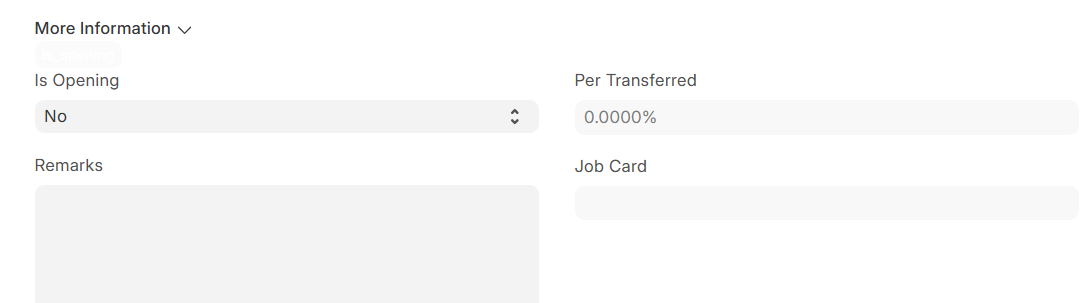
3. Is Opening: Marks entry as opening stock.
4. Per Transferred: Shows percentage transferred.
5. Job Card: Links to job work process.
6. Remarks: Additional notes or instructions.
Connections Tab
Used to track linked documents such as:
• Material Request
• Pick List
• Work Orders
• Job Cards
E-Waybill Info Tab
Note: this tab is not available in case of stock entry type –Disassemble, Manufacture, Material Consumption for Manufacture, Material Receipt, Material Transfer for Manufacture, Return Material F-76.
This tab is used for transportation compliance and GST-related movement of goods. It is important when materials are moved between locations and require an e-waybill.
A. Billing Details

1. Bill From: Defines the source billing party (usually company or warehouse).
2. Bill To: Defines the destination billing party.
3. Bill From Address: Address of dispatching location.
4. Bill To Address: Address of receiving location.
B. Tax Details

5. Bill From GSTIN: GST number of dispatching party.
6. Bill To GSTIN: GST number of receiving party.
7. Bill From GST Category: GST registration type of source.
8. Bill To GST Category: GST registration type of destination.
C. Supply Details

9. Destination of Supply: State where goods are delivered.
D. Shipping Details

10. Ship From: Actual dispatch location.
11. Ship To: Actual delivery location.
12. Ship From Address: Dispatch address.
13. Ship To Address: Delivery address.
E. Transporter Information
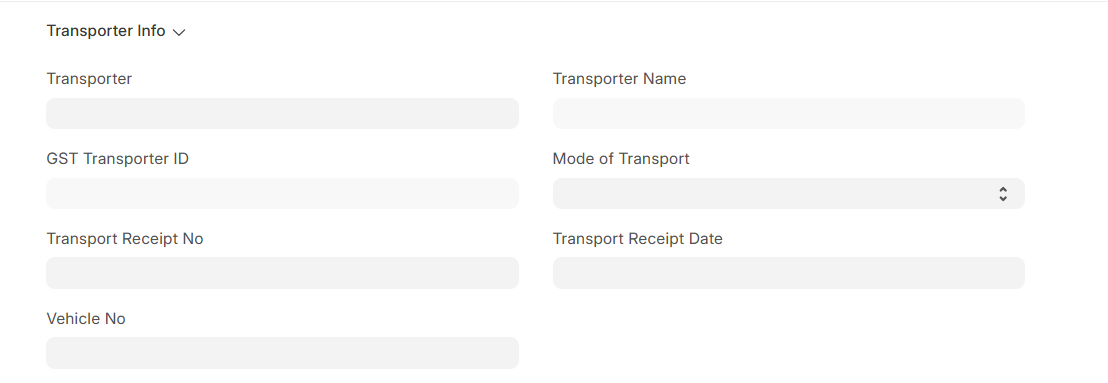
This section is used to capture transportation details required for generating and managing the E-Waybill during movement of goods.
14. Transporter: Specifies the transporter responsible for moving the goods.
15. Transporter Name: Displays the transporter’s name.
16. GST Transporter ID: GST Identification Number of the transporter. Auto-fetched from transporter.
17. Mode of Transport: Defines how goods are being transported. Available Options: Road, Rail, Air, Ship
18. Transport Receipt No: transport document number provided by the transporter. Used for tracking shipment.
19. Transport Receipt Date: Date of the transport document (LR date). Helps in validating shipment timeline.
20. Vehicle No: Vehicle number used for transporting goods. Mandatory in case of road transport.
21. GST Vehicle Type: Defines vehicle classification for GST purposes.
G. Location Details
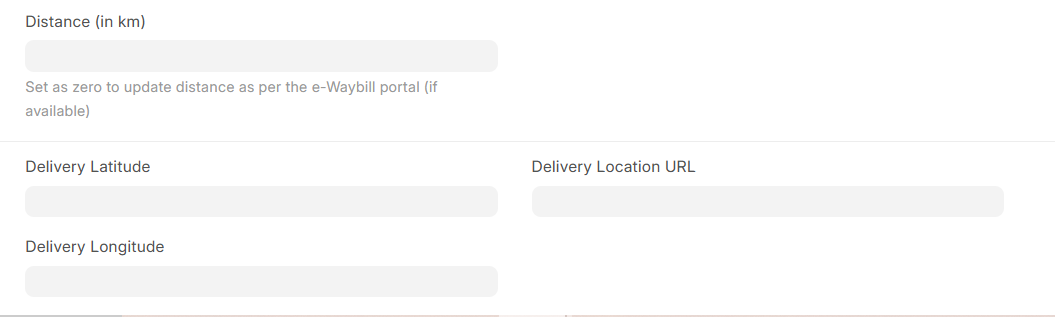
22. Distance (in km): Distance between source and destination in kilometers.
23. Delivery Latitude/Longitude: Geographical coordinate for delivery location.
24. Delivery Location URL: Map link for tracking delivery location.
Insurance Tab
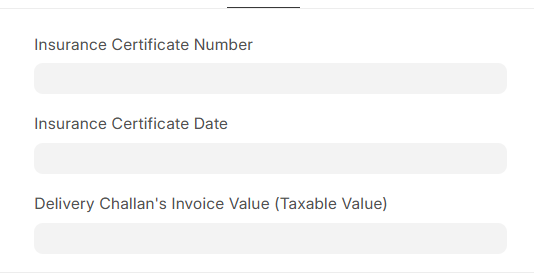
1. Insurance Certificate Number: Unique insurance reference.
2. Insurance Certificate Date: Date of insurance.
3. Delivery Challan Invoice Value: Taxable value for insurance.
Supplier Info Tab
Note: Only for subcontractor stock entry type.
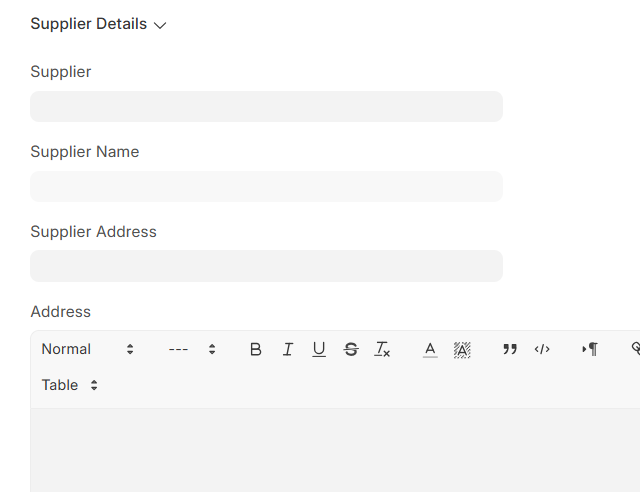
Supplier Details
- Supplier
- Supplier Name
- Supplier Address
- Address
No comments yet. Login to start a new discussion Start a new discussion