Supplier Quotation
By Naveen Soni on May 12, 2026
BeginnerDocumentation
Introduction
The Supplier Quotation Form is used to record and manage quotations received from suppliers in an organization.
It helps in capturing supplier prices, item details, taxes, discounts, and quotation validity for purchase decisions.
It ensures proper comparison of supplier rates before purchasing materials.
It acts as the starting point for:
- Purchase Order creation
- Supplier evaluation
- Cost analysis
- Procurement planning
Fields in Supplier Quotation Form
Details Tab
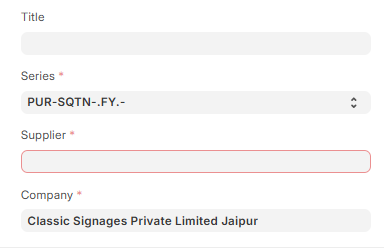
1. Document Header Section
1.1 Title : Used to give a name to the quotation document for easy identification.
1.2 Series : Used to generate automatic numbering for each quotation. Helps in tracking documents.
Example: PUR-SQTN-.FY.-
1.3 Supplier : Used to select the supplier who is providing the quotation.
1.4.Company: Used to define which company is creating this quotation.
Example: Classic Signages Private Limited Jaipur
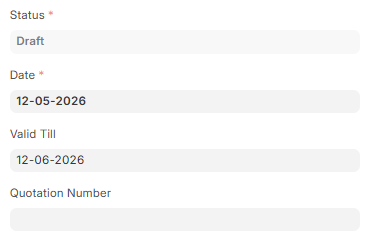
1.5.Status : Shows the current stage of the document like Draft or Submitted.
1.6 Date : Used to set the date when quotation is created.
Example: 12-05-2026
1.7 Valid Till : Used to define till when this quotation is valid.
1.8 Quotation Number : Used as a unique reference number for tracking quotation.
2. Accounting Dimensions Section
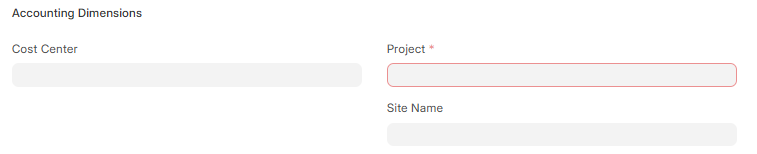
2.1 Cost Center : Used to track cost for accounting purpose.
2.2 Project : Used to link quotation with a specific project.
2.3 Site Name : Used to define site where work or delivery is related.
3 Currency and Price List Section

3.1 Currency: Used to select the currency for transaction.
Example: INR
3.2 Price List : Used to select standard price list for reference rates.
Example: Standard Buying
4 Items Section
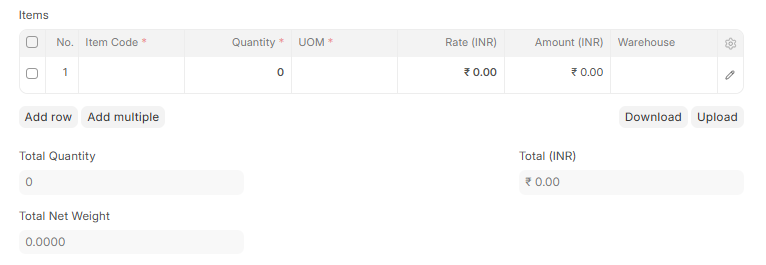
Items Table
No.
- Item Code: Used to select product or material.
- Quantity: Used to define required quantity.
- UOM: Used to define unit like pcs, kg, etc.
- Rate (INR): Used to enter price per unit.
- Amount (INR): Shows total value of item.
- Warehouse: Used to define storage location.
4.1 Total Quantity : Shows total number of items in quotation.
4.2 Total Net Weight : Shows total weight of all items.
4.5 Total (INR): Shows total amount before taxes.
5 Taxes and Charges Section
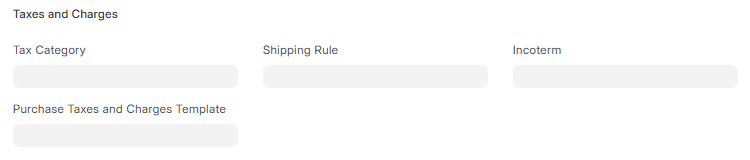
5.1 Tax Category: Used to define tax category for quotation.
5.2 Purchase Taxes and Charges Template: Used to apply predefined tax rules.
5.3 Shipping Rule : Used to define shipping cost rules.
5.4 Incoterm : Used to define delivery and shipping terms.
6 Purchase Taxes and Charges Table

No.
- Type: Used to define tax type.
- Account Head: Used to define accounting head for tax.
- Tax Rate: Used to define percentage of tax.
- Net Amount: Shows taxable amount.
- Amount: Shows calculated tax amount.
- Total: Shows total tax value.
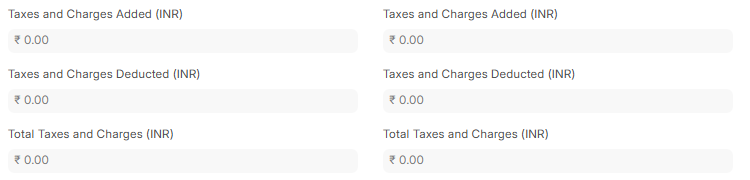
6.1 Taxes and Charges Added : Shows total added tax amount.
6.2 Taxes and Charges Deducted : Shows total deducted tax amount.
6.3 Total Taxes and Charges (INR): Shows total tax in base currency.
6.4 Taxes and Charges Added (INR): Shows total added taxes.
6.5 Taxes and Charges Deducted (INR): Shows total deducted taxes.
6.6 Total Taxes and Charges (INR): Shows final tax amount.
7 Additional Discount Section
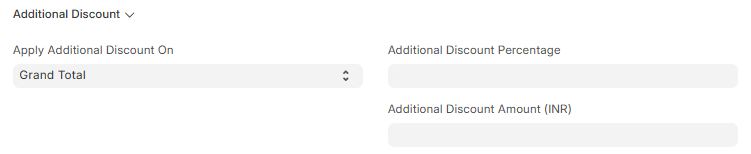
7.1 Apply Additional Discount On : This field is used to select the base amount on which discount will be applied.
7.2 Available Options in Dropdown:
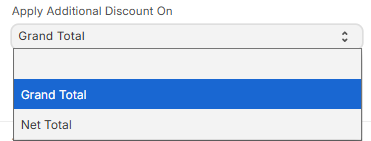
- Grand Total → Discount is applied on the final total amount including taxes.
- Net Total → Discount is applied on the base total amount before taxes.
7.3 Additional Discount Percentage : Used to enter discount in percentage format.
7.4 Additional Discount Amount : Used to enter fixed discount value in INR.
8 Totals Section
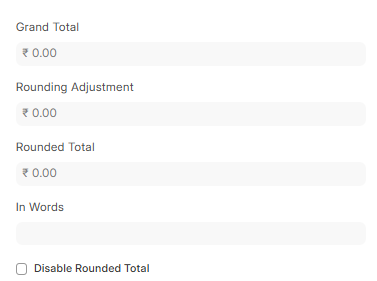
8.1 Grand Total: Shows final amount before rounding.
8.2 Rounding Adjustment : Shows rounding difference.
8.3 Rounded Total : Shows final rounded amount.
8.4 In Words: Shows total amount written in words.
8.5 checkbox Disable Rounded Total : Used to disable rounding if needed.
9 Tax Breakup Section

9.1Taxes and Charges Calculation : Shows detailed tax calculation summary.
10 GST Breakup Section

10.1 GST Breakup Table: Shows GST-wise breakdown of taxes.
11 Pricing Rules Section

11.1 Pricing Rules : Used to apply pricing rules or discounts automatically.
Pricing Rule Detail Table
No.
Pricing Rule: Used to define rule applied on pricing.
Item Code: Used to link rule with item.
12 Address and Contact Tab
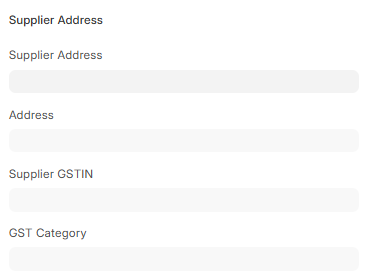
12.1 Supplier Address Section
12.2 Supplier Address : Used to select supplier address. Helps identify location.
12.3 Address : Shows full supplier address.
12.4 Supplier GSTIN : Used for GST identification of supplier.
12.5 GST Category : Used to define GST type of supplier.
13 Contact Person Section
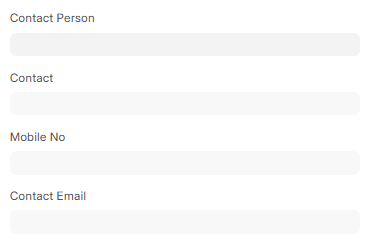
13.1 Contact Person : Used to select supplier contact person.
13.2 Contact : Shows full contact details.
13.3 Mobile No : Used to store mobile number.
13.4 Contact Email : Used to store email address.
14 Shipping Address Section
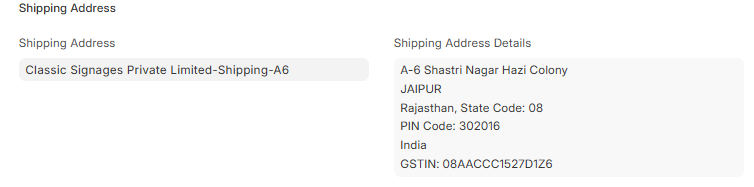
14.1 Shipping Address : Used to define delivery address.
14.2 Shipping Address Details : Shows full shipping address.
15 Company Billing Address Section
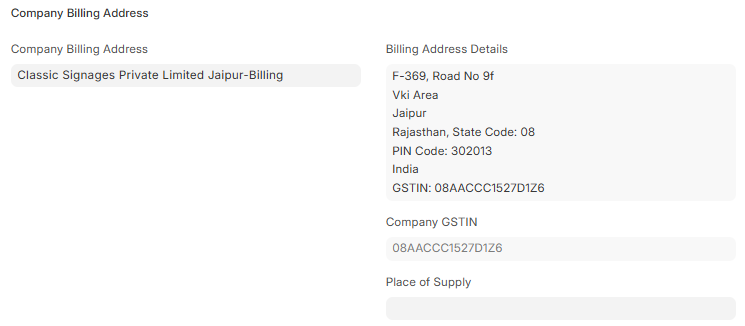
15.1 Company Billing Address : Used to define billing address.
15.2 Billing Address Details : Shows full billing address.
15.3 Company GSTIN Section
15.4 Company GSTIN : Used to store company GST number.
15.5 Place of Supply Section
15.6 Place of Supply ): Used to define state where goods/services are supplied.
16 Terms and Conditions Tab
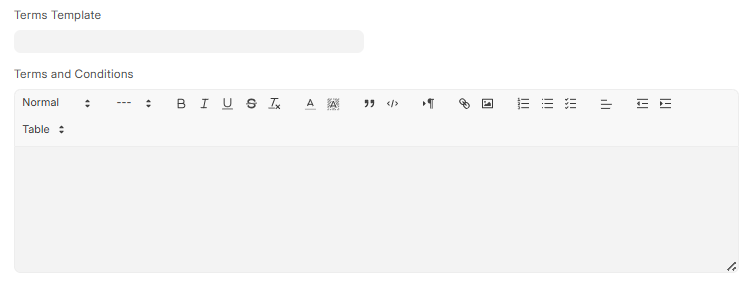
16.1 Terms Template : Used to select predefined terms template.
16.2 Terms and Conditions: Used to define rules and conditions for quotation.
17 More Info Tab
17.1 Printing Settings Section
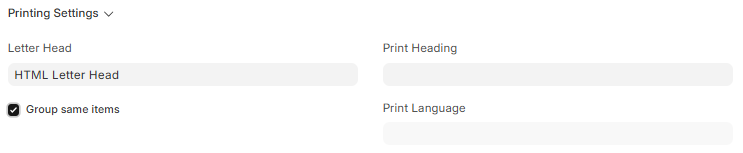
17.2 Letter Head : Used to select company letterhead for printing.
17.3 check-box Group Same Items : Used to group similar items in print.
17.4 Print Heading : Used to set print title.
17.5 Print Language ): Used to set print language.
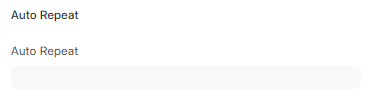
17.6 Auto Repeat : Used to repeat quotation automatically if enabled.
18 Additional Info Section

18.1 Is Subcontracted : Used to identify subcontracted quotation.
18.2 Opportunity : Used to link quotation with sales opportunity.
19 Connections Tab

19.1 Is Reverse Charge : Used to indicate reverse charge GST applicability.
No comments yet. Login to start a new discussion Start a new discussion