ToDo
By Komal Jangid on May 4, 2026
BeginnerTo-Do
Documentation
Introduction
The To-Do Form is a simple tool used to create, assign, and track tasks within an organization.
It helps users:
- Manage daily work and follow-ups
- Assign tasks to individuals
- Keep track of deadlines
- Stay organized and productive
A To-Do is best for small tasks assigned to one user, while the Task Form is used for larger tasks involving multiple users.
Where it is useful
- Personal task management
- Team assignments
- Reminders and follow-ups
Fields in To-Do Form
- Document Header Section
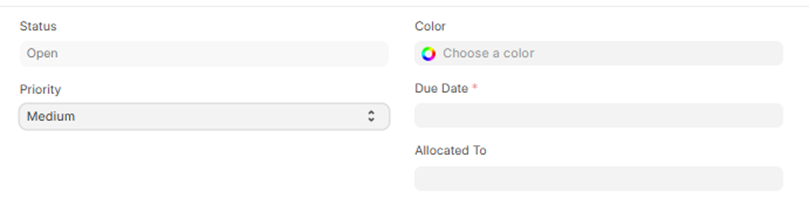
1. Status(custom_state)
Shows the current state of the task.
Options:
- Open (Default)
- Closed
- Cancelled
2. Priority
Defines how important the task is.
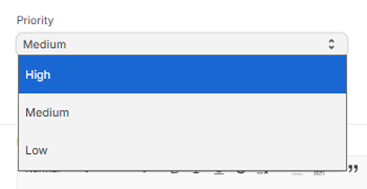
Options:
- Low
- Medium (Default)
- High
3. Due Date (Mandatory)
Specifies the deadline for completing the task.
Note: Tasks should be completed on or before this date.
4. Allocated To
Specifies the user responsible for completing the task.
5. Colour
Allows you to assign a color to the task for easy identification.
B. Description Section
6. Description (Mandatory)
Provides details about the task.
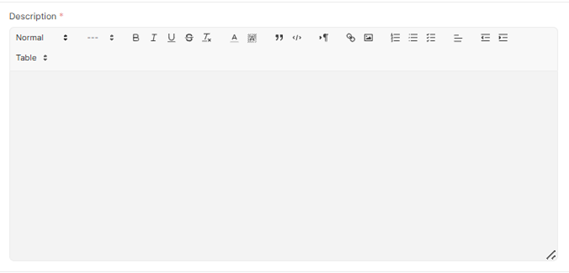
You can include:
- Task objective
- Steps to perform
- Important notes or links
C. Reference Section (Optional)
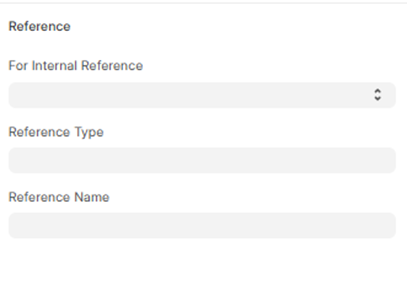
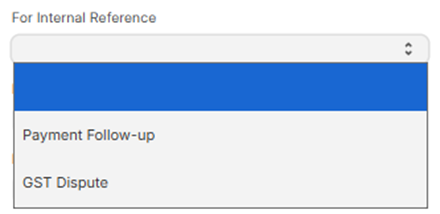
7. For Internal Reference(custom_for_internal_reference)
Indicates whether the task is linked to internal records.
8. Reference Type
Specifies the type of document linked to the task.
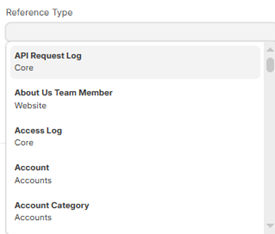
Examples:
- Project
- Issue
- Sales Order
- Invoice
9. Reference Name
Specifies the exact record linked to the To-Do.
Benefit:
- Avoids switching between modules
- Provides better context for the task
D. Assignment Details
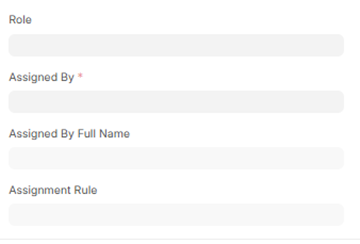
10. Assigned By (Mandatory)
Shows the user who created or assigned the task.
System Behaviour:
- Automatically filled by the system
- Cannot be changed
11. Assigned By Full Name
Displays the full name of the assigner. Autofetched by the system
12. Role (Optional)
Defines the role of the assigned user.
13. Assignment Rule
Used for automatic task assignment based on predefined rules.
No comments yet. Login to start a new discussion Start a new discussion